How it works
From a 3D scan of your building to a sign on the wall.
We do the heavy lifting: the scan, the routes and the signs. Your team approves the names and where the signs go. Visitors just scan and walk.
For the visitor
From the patient’s door to the doctor’s door.
01
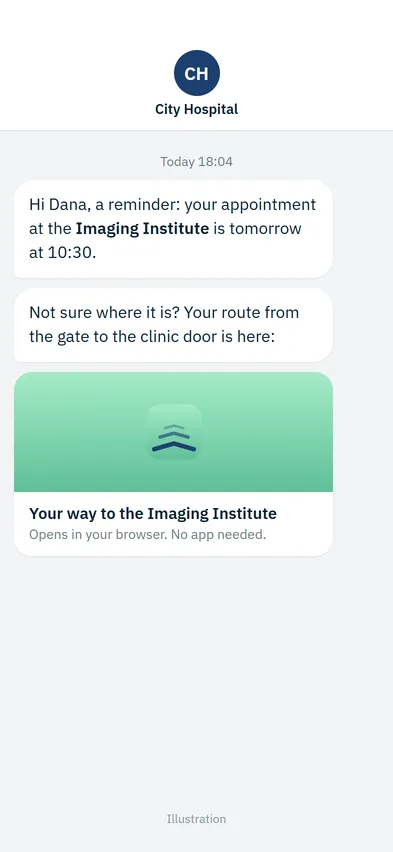
At home, the night before
The appointment reminder carries a link to the route. The patient sees where the clinic is before leaving the house, and arrives knowing the way.
02
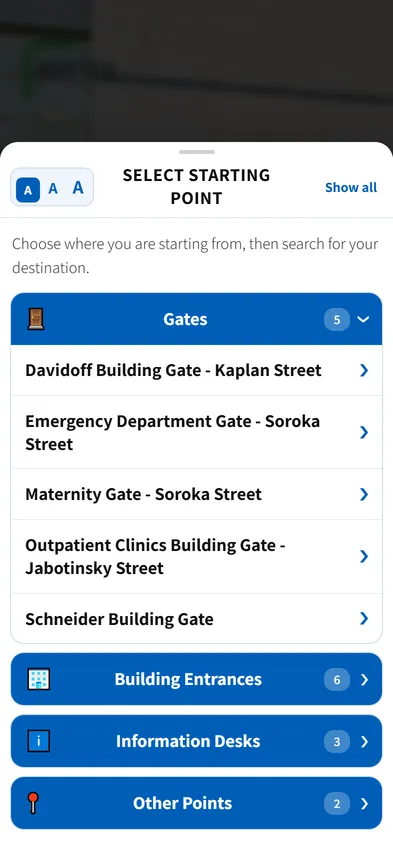
It knows where you are
The sign they scanned already knows where it stands. Or they pick a starting point: five gates, six building entrances, three information desks.
03
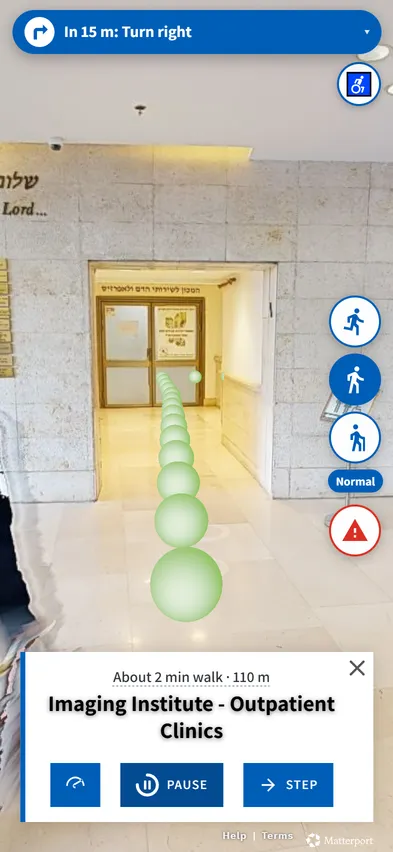
Inside, turn by turn
A clear instruction before every turn, “In 15 m: Turn right”, and the distance left. Visitors set their own pace, or step through it.
04
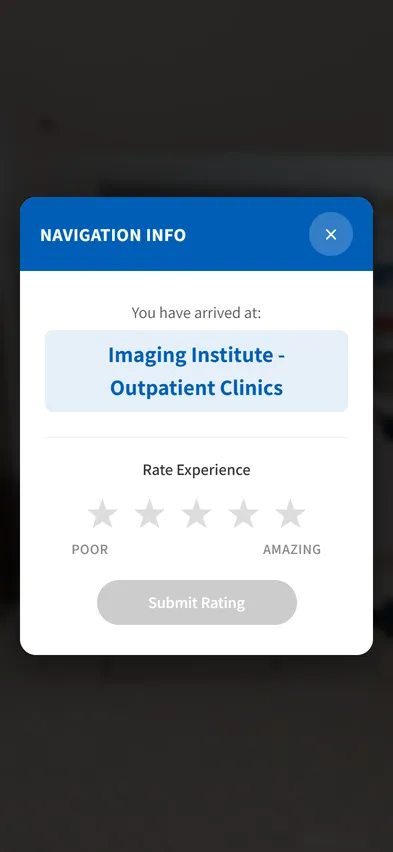
You have arrived
At the doctor’s door, not just the right building. Then a one-tap rating, so you know how the route worked for them.
Going live
Four steps, and most of them are ours.
- 01
We scan the building
A Matterport camera captures corridors, entrances and departments. The result is an accurate 3D copy of the building, a digital twin, that visitors move through.
- 02
We set the destinations
Departments, clinics, gates and service points, named the way visitors search for them, including the other names people use.
- 03
We place the QR signs
Every sign knows exactly where it stands, so guidance starts where the visitor is.
- 04
You measure and improve
Analytics show what people look for and where they get stuck, so you can fix signs, names and routes.
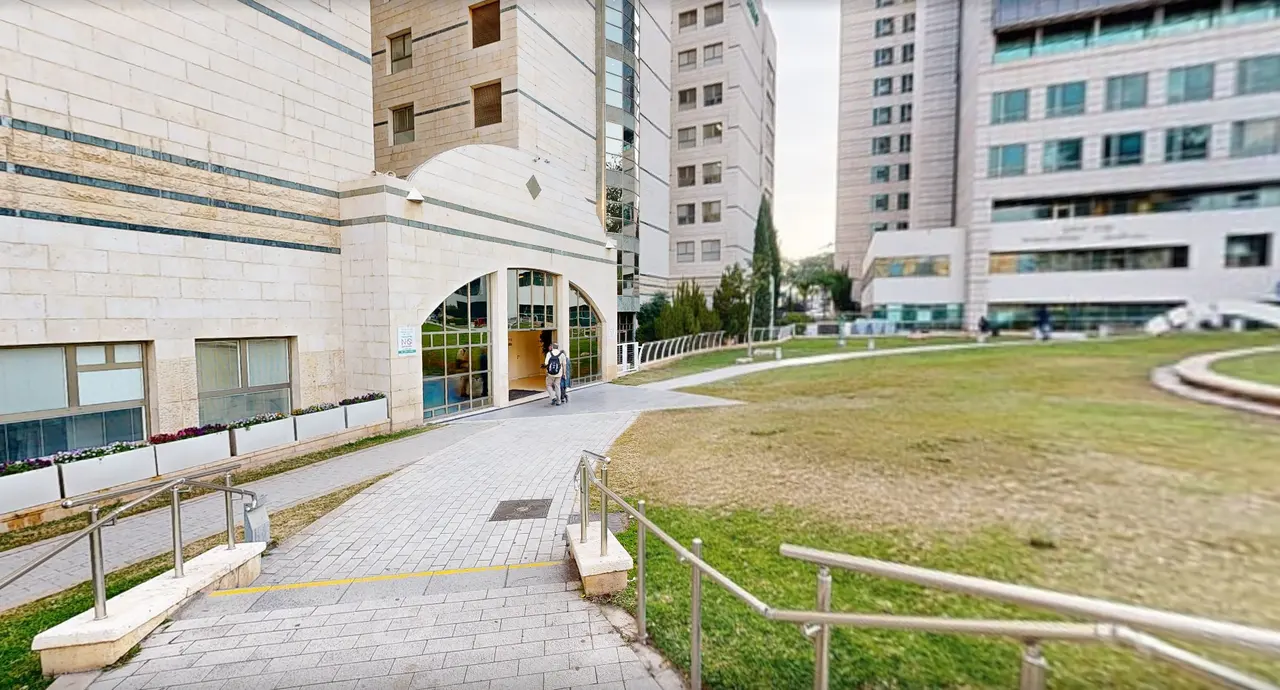
Why a 3D scan
People recognize places. They don’t read plans.
The scan is a true-to-life copy of your building, captured with a Matterport camera. Visitors see the same lobby, the same doors and the same corner they are about to turn, so they know they are on the right way.
Because the guidance runs inside the scan, there is nothing to install on site: no beacons, no screens, no wiring. And the same scan can serve your facilities team, emergency drill training and virtual tours, through SPACES.
After launch
A guide that keeps up with the building.
Departments move, the guide follows
Names and destinations are updated without a new scan. A major physical change needs a rescan of that area only.
Every destination is a link
Add it to your website, your patient app or an appointment reminder, so people know the way before they leave home.
Measure what happens
31 measured events in your own Google Analytics: searches, starting points, completed routes and drop-offs. None of them identifies a person.
Add languages as you need them
Start with the languages your visitors speak today and add more later, such as Spanish, French or German.
Pricing
Four parts. No surprises.
Two one-time costs to go live, then a yearly license and support you can plan for. You get a quote after the walk-through.
The scan
A one-time cost to capture your building in 3D.
Setup
A one-time cost for destinations, routes, signs and your branding.
Annual license
Priced by floor area, so it grows with what you cover.
Support hours
A bank of hours for updates, new destinations and changes.
FAQ
Before you ask
Do you install beacons or other hardware?
No. Guidance runs inside the 3D scan of the building, so there is nothing to mount, power or maintain on site. You only put up printed QR signs.
What do you need from us?
Access to scan the building, a list of destinations with the names visitors use, and approval for where the signs go. We do the rest.
How long does it take to go live?
It depends on the size of the building and the number of destinations. After an intro call and a walk-through, we agree on a clear timeline.
What happens when a department moves?
Names and destinations are updated without rescanning. A major physical change needs a rescan of the changed area only.
Can it live inside our website or patient app?
Yes. Every destination has its own link, so it fits into your website, your app, appointment reminders and signs.
See it in your building
A short call, a live demo on a real hospital, and a straight answer on whether Wayora fits your site.