Indoor wayfinding for hospitals
From the patient’s door to the doctor’s door.
The route arrives with the appointment reminder, picks the patient up at your gate and walks them to the clinic door, on their own phone, inside a 3D scan of your hospital. No app, no beacons, in their language.
Live in two hospitals. More than 7,000 people guided at Beilinson since January 2026.


The problem
A hospital is one of the hardest buildings to find your way in.
Years of extensions, wings named after donors, departments that move. Everyone who walks in has somewhere specific to be.
Visitors arrive stressed, and late
They find the hospital, then lose precious time looking for the right building, floor and door.
Staff become the signs
Nurses, guards and clerks stop what they’re doing to give directions, again and again.
Maps don’t answer the question
A floor plan shows lines. The visitor wants to know one thing: how do I get from here to there?
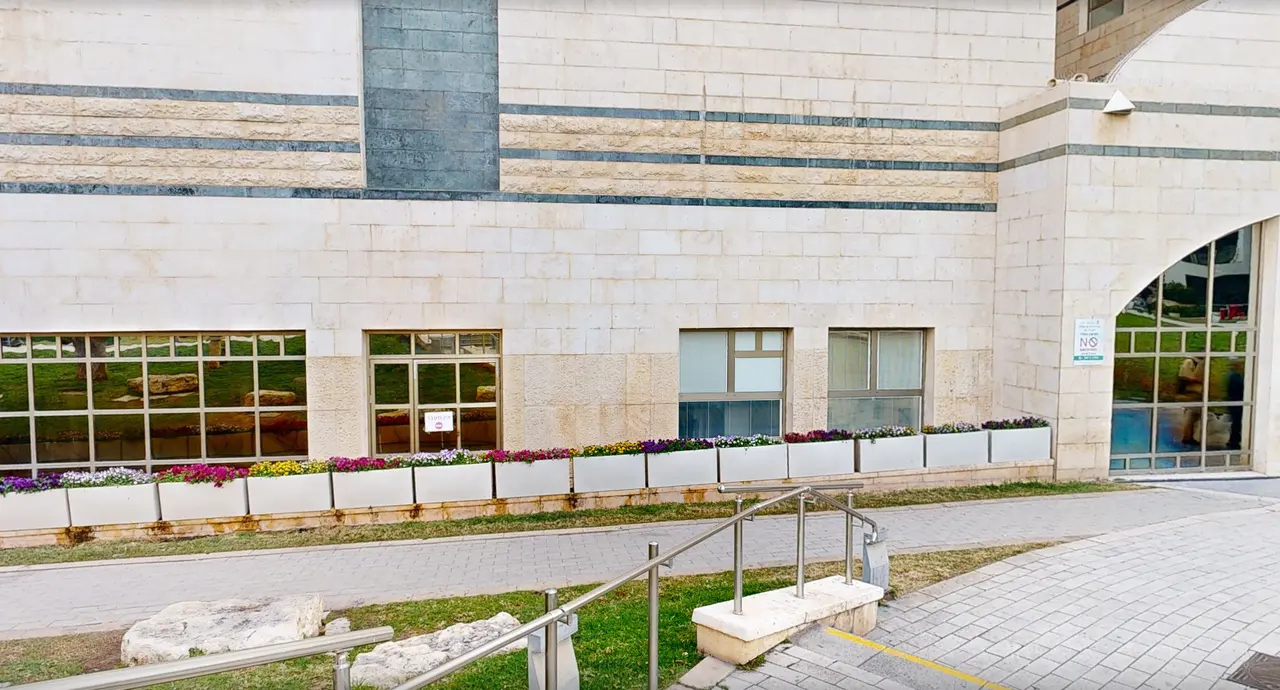
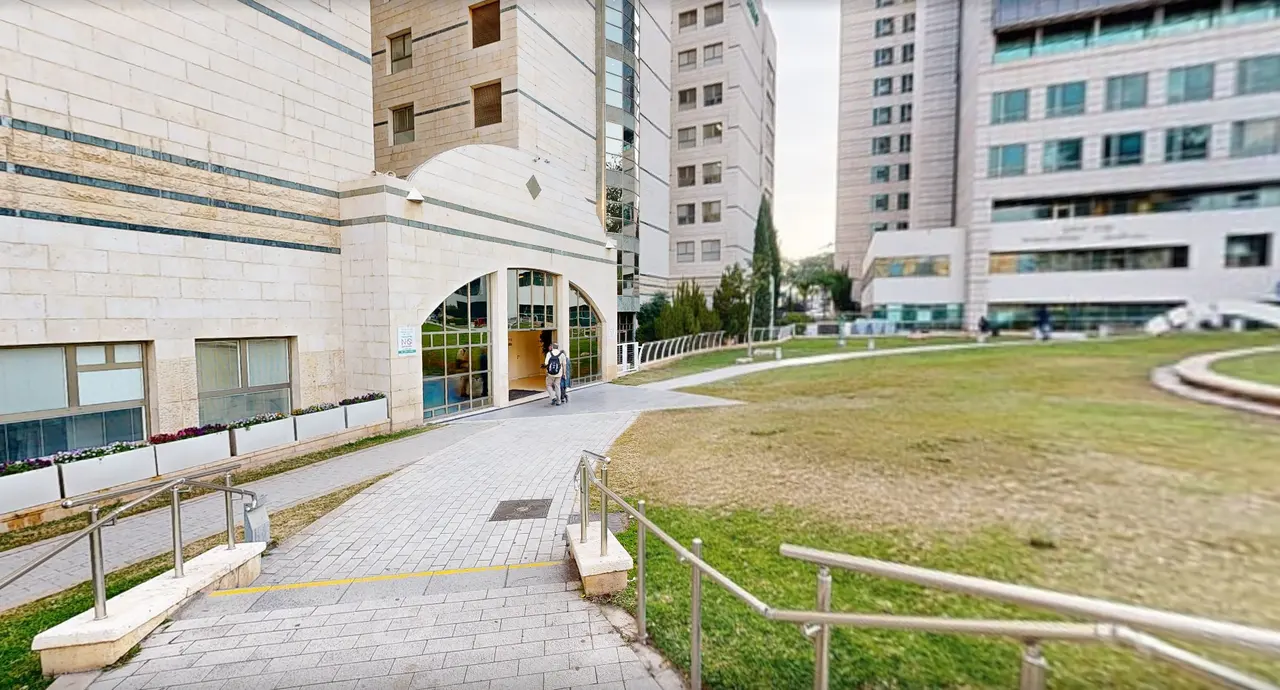
A patient’s route
From the patient’s door to the doctor’s door, in eight screens.
A real route at Beilinson Medical Center: from the reminder at home, through the Emergency Department gate, to the Imaging Institute in the outpatient clinics building.
Step 1 of 8
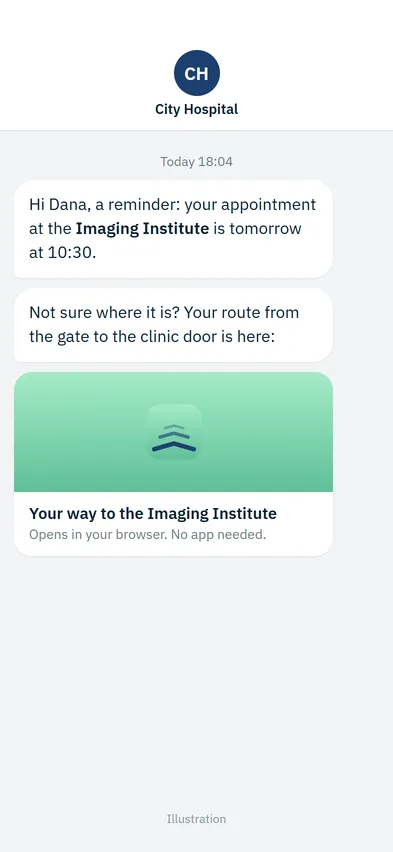
At home, the night before
The appointment reminder carries a link to the route. The patient sees where the clinic is before leaving the house, and arrives knowing the way.
Step 2 of 8
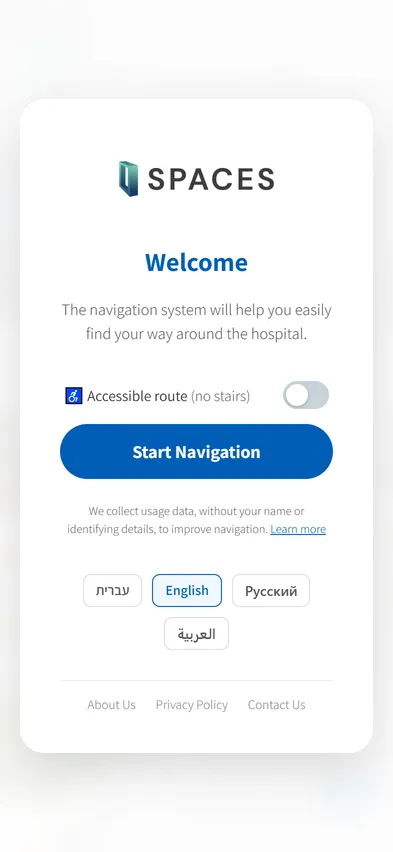
At the gate, pick a language
At the hospital gate the patient scans a sign, and the guide opens in the phone’s browser. English, Hebrew, Arabic or Russian at Beilinson. No sign-up, no app to download.
Step 3 of 8
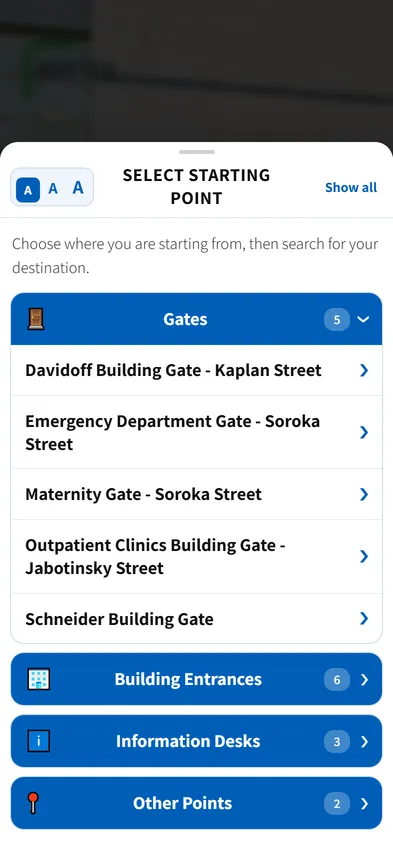
It knows where you are
The sign they scanned already knows where it stands. Or they pick a starting point: five gates, six building entrances, three information desks.
Step 4 of 8
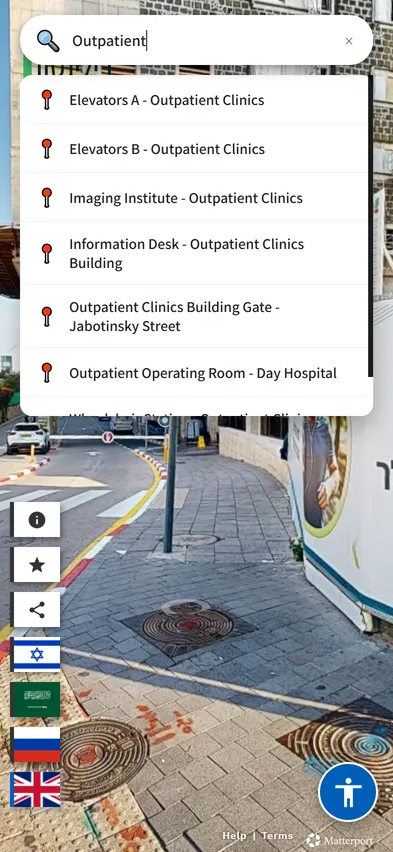
Type where you’re going
They type “outpatient” and choose the Imaging Institute. Search copes with typos, partial names and the names people actually use.
Step 5 of 8
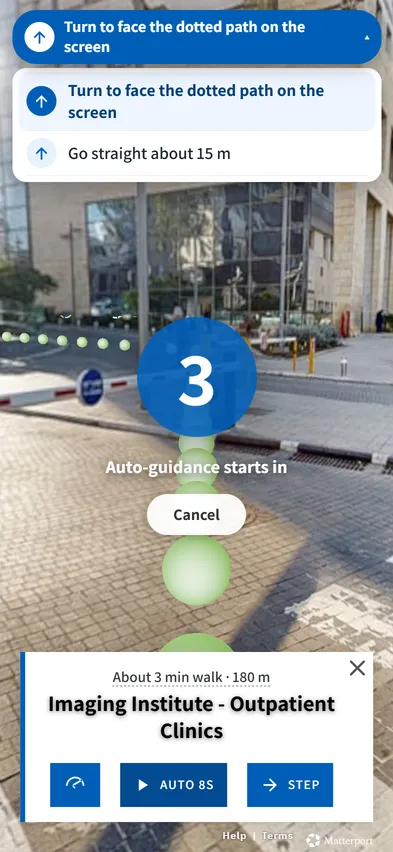
Guidance starts
Three, two, one. The route appears on the ground of the real campus, with the walk ahead: about 3 minutes, 180 metres.
Step 6 of 8
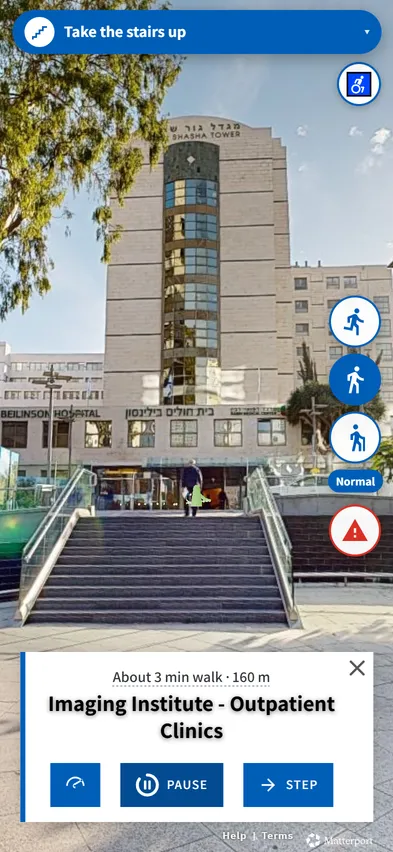
Outside, between buildings
The route doesn’t stop at the door. It crosses the campus, and says what to do next: take the stairs up.
Step 7 of 8
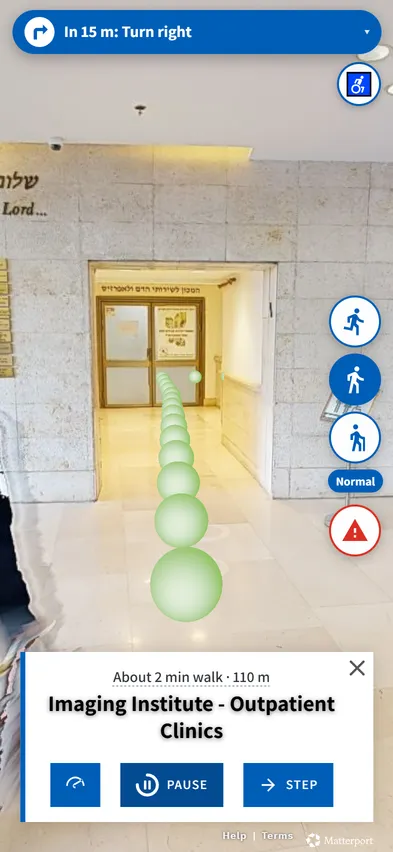
Inside, turn by turn
A clear instruction before every turn, “In 15 m: Turn right”, and the distance left. Visitors set their own pace, or step through it.
Step 8 of 8
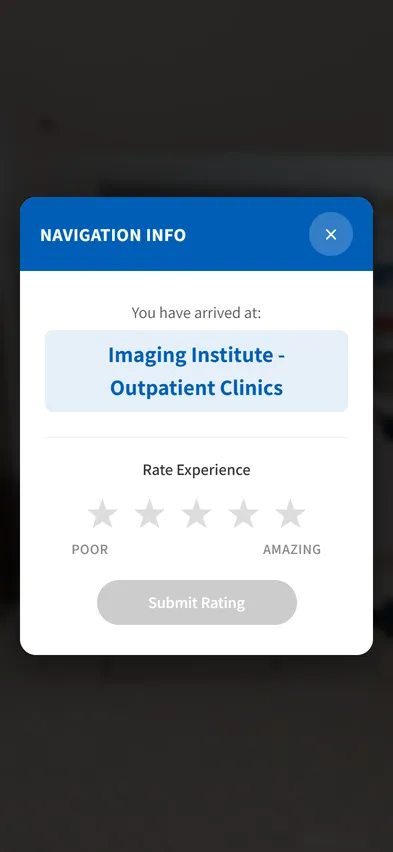
You have arrived
At the doctor’s door, not just the right building. Then a one-tap rating, so you know how the route worked for them.
Screen 1 is an illustration. All the others are real phone screens from the system running at Beilinson Medical Center, over views from the hospital’s 3D scan.
The difference
A map shows lines. Wayora shows the corridor.
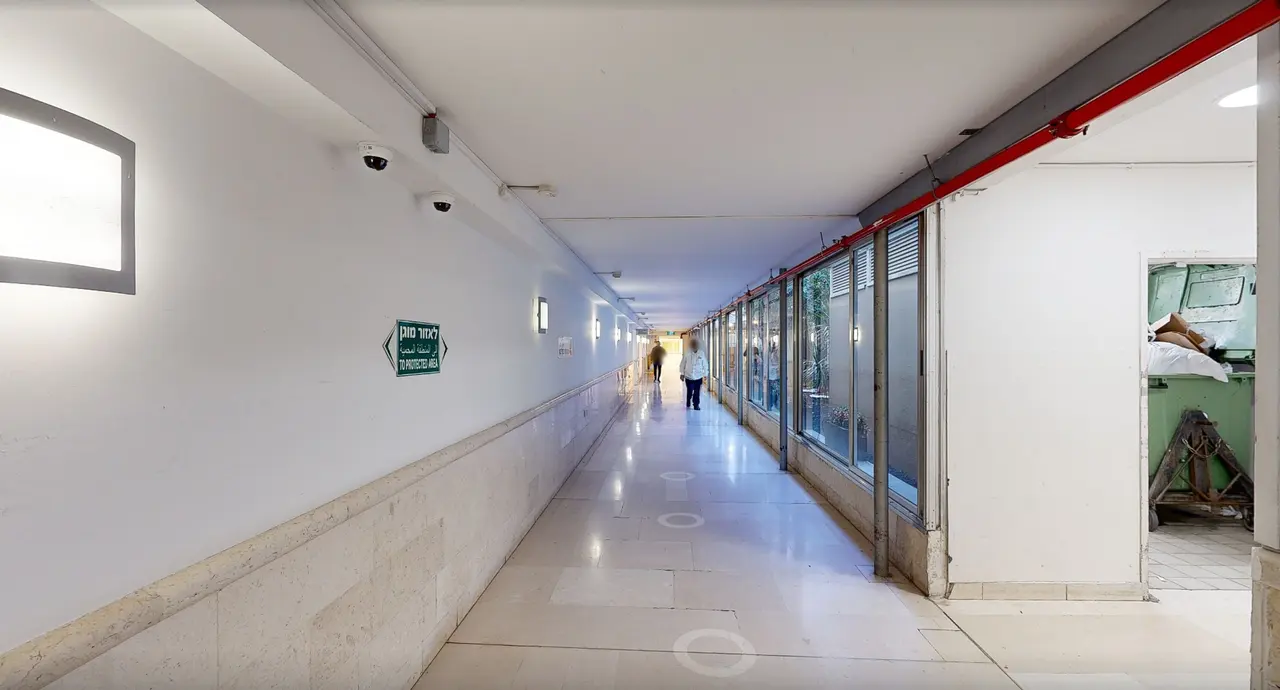
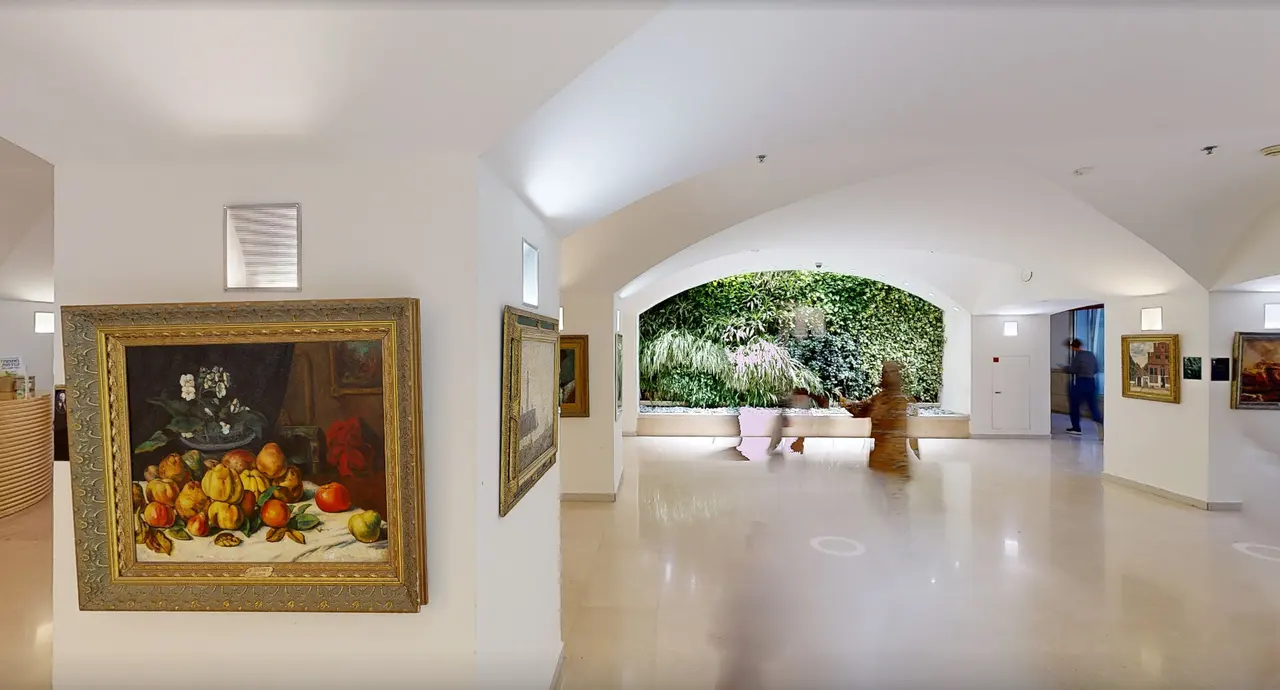
We scan your building in 3D, so visitors are guided through what they will actually see: the same doors, the same signs, the same turns. Recognizing a place is easier than reading a plan, especially for someone anxious, elderly or new to the language.
- Indoors, outdoors and between buildings
- Floor changes: which elevator, which stairs
- Ends at the department door, not the building
Live demo
Try the system Beilinson’s visitors use.
Start navigation, pick a gate, search for a department and watch the route play. It works best on a phone, but a laptop is fine too.
The demo loads only when you click, so this page stays fast. Open it full screen (opens in a new tab)
Easy to say yes to
Nothing to install, nothing to mount, nothing personal.
The questions IT, facilities and privacy will ask, answered before the first meeting.
No app
Opens in the phone’s browser from a QR sign or a link. Nothing to download.
No hardware
No beacons, no screens, no wiring. Printed QR signs are all that goes on the wall.
No personal data
No sign-up, no names, no tracking of individuals. Usage is measured statistically.
How it goes live
We do the work. You approve the names and the signs.
- 01
We scan the building
A Matterport camera captures corridors, entrances and departments. The result is an accurate 3D copy of the building, a digital twin, that visitors move through.
- 02
We set the destinations
Departments, clinics, gates and service points, named the way visitors search for them, including the other names people use.
- 03
We place the QR signs
Every sign knows exactly where it stands, so guidance starts where the visitor is.
- 04
You measure and improve
Analytics show what people look for and where they get stuck, so you can fix signs, names and routes.
What’s inside
Built for the visitor. Measured for you.
Starts at the sign
Each QR sign is a known starting point. Visitors can also pick a gate, entrance or desk from a list.
Search that forgives
Finds the destination despite typos, partial names or a department’s other name.
Accessible route
One switch on the welcome screen routes around stairs, and text can be made larger.
Your visitors’ languages
Chosen on the welcome screen. Beilinson runs four; Spanish, French, German or any other language can be added.
At the visitor’s pace
Auto-guidance with pause and speed control, or step by step. Indoors and across the campus.
A link for every destination
Put it on your website, in your app, in an appointment reminder or on a sign.
Data you can act on
What people search for, where they start, which routes they finish and where they give up.
Your name on it
Your logo, your colors and your wording on the welcome screen.
FAQ
Questions hospitals ask us
Do visitors need to download an app?
No. Wayora opens in any phone browser, from a link or a QR sign. Nothing to install, nothing to sign up for.
Do you install beacons or other hardware?
No. Guidance runs inside the 3D scan of the building, so there is nothing to mount, power or maintain on site. You only put up printed QR signs.
What do you need from us?
Access to scan the building, a list of destinations with the names visitors use, and approval for where the signs go. We do the rest.
How long does it take to go live?
It depends on the size of the building and the number of destinations. After an intro call and a walk-through, we agree on a clear timeline.
What happens when a department moves?
Names and destinations are updated without rescanning. A major physical change needs a rescan of the changed area only.
Can it live inside our website or patient app?
Yes. Every destination has its own link, so it fits into your website, your app, appointment reminders and signs.
How is it priced?
Four parts, all clear up front: a one-time scan, a one-time setup, an annual license priced by floor area, and a bank of support hours for ongoing changes. You get a quote after the walk-through.
Do you collect personal data?
No. Visitors don’t sign up or give their name. Usage is measured statistically, without identifying details.
Which languages are supported?
Any language can be added. The live system at Beilinson runs in English, Hebrew, Arabic and Russian.
See it in your building
A short call, a live demo on a real hospital, and a straight answer on whether Wayora fits your site.